


ExpressVPN: VPN Fast & Secure
4.632.28K Reviews
App Specs
- Version
- 12.76.0
- Updated On
- License
- Free
- Downloads
- 100,000,000+
- Developer
- ExpressVPN
- Categories
- Tools
- Platform
- Android, iOS
Screenshots
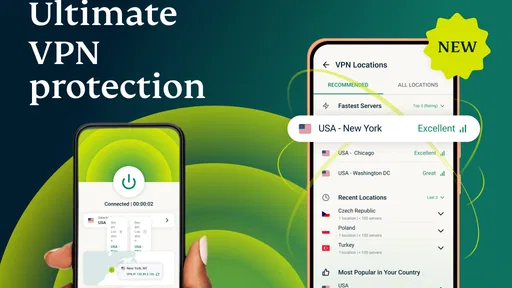
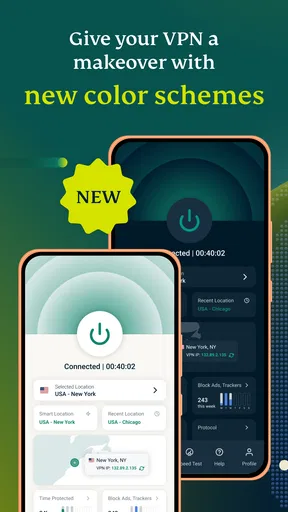
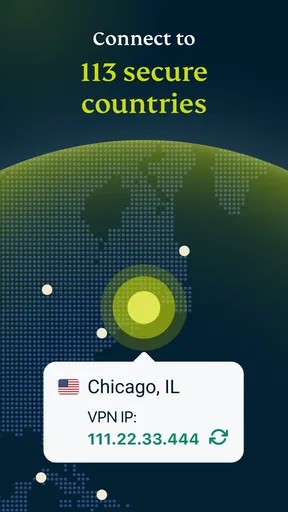
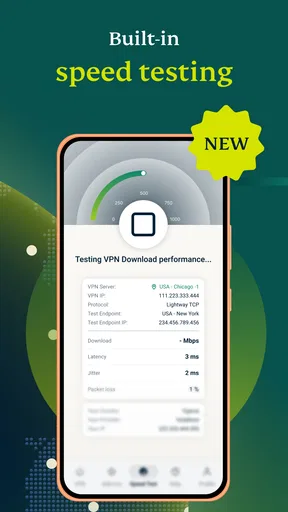

 Analysis by AppCompare
When a VPN connection refuses to start, it is tempting to blame the app immediately. I’ve found it more useful to check the whole chain: the phone’s connection, the VPN state, and the service I’m trying to reach. ExpressVPN: VPN Fast & Secure is designed to make the first part straightforward, but a simple interface cannot prevent every network hiccup or fix a website that is having problems on its own.
Where a VPN connection can get stuck
A VPN adds a step between your device and the internet, so a slow page or failed sign-in can have more than one cause. If a page stops loading just after you connect, I first check whether ordinary browsing works without the VPN. If it does, I reconnect and try the page again before changing several settings at once. That small, controlled test makes it easier to tell whether the problem is temporary or specific to the service.
It also helps to remember what a VPN is for. ExpressVPN can change the IP address websites see and create a private connection, but it does not make every site accept a connection from every location. A streaming service, bank, or work network may apply its own checks. If one service behaves differently while other browsing works normally, that is a useful clue: the issue may be that service’s access rules, not a broken phone.
Simple setup checks before troubleshooting
ExpressVPN is a tools app from ExpressVPN, and the basic setup is approachable even if you have never used a VPN. It is free to install, rated for Everyone, and has a 4.8 average from around 453,000 ratings. The app has been around since January 6, 2012; its current version is 12.51.0, and it requires Android 7.0 or later. Those details make it easy to judge whether it suits your device before you get started.
Once it is installed, I’d make the first connection while on a trusted, working internet connection rather than trying to diagnose setup and public Wi-Fi at the same time. Follow the app’s account and connection prompts, then give the connection a moment to establish before opening a sensitive site. If the connection does not come up, check that the phone itself can reach the internet, close and reopen the app, and try again. These basic checks are less disruptive than repeatedly changing network settings.
One practical habit is to test a familiar page before and after connecting. That gives you a quick baseline for ordinary browsing and helps distinguish a VPN-specific slowdown from a weak Wi-Fi or mobile signal. If everything was already sluggish before the VPN was on, changing VPN locations is unlikely to solve the underlying connection problem.
Recovering without making the problem worse
If a connection drops while you are using a site, pause before sending a form or repeating a payment. First confirm whether the page completed its action; submitting it again without checking can create a duplicate request. Then reconnect and reload only when you know it is safe to do so. For an interrupted download, check the file or service’s own progress status before starting over.
Worth Reading Before You Choose

Flipboard Shows What News Apps Must Do Beyond the Feed

Switching to Android Auto Means Rethinking Your Driving Routine

Google Calendar Makes a Crowded Week Easier to Manage

Ludo King Makes the Most of the Minutes Between Plans

Baby Panda World Brings Quick Play to Modern Phones, but Its Game Library Feels Busy

ESPN’s Live Game View Makes Following Close Games Easier
For everyday use, I prefer changing one thing at a time. Reconnect once, test the same page, and only then try another available location if the first still fails. That simple sequence keeps troubleshooting understandable. If you switch locations, a website may treat the new connection as a fresh sign-in, so keep your account verification method handy when accessing services that are strict about unusual network changes.
When the app is connected but one site remains unavailable, try the site again later or contact the service’s support if the problem persists. A VPN can help with privacy and with access from different network locations, but it cannot guarantee that a particular platform will allow a particular connection. I would avoid installing extra “fixer” apps or changing advanced phone settings based on a single failed page; those steps can introduce new problems without identifying the cause.
When the app is not the cause
Public Wi-Fi is a good example of why it helps to separate problems. A café network may require you to accept a sign-in page before normal internet access works. If the VPN cannot connect there, first check whether the network’s access page is waiting for attention. Once the Wi-Fi itself is online, try the VPN again. On the other hand, if the network blocks VPN connections, repeatedly tapping Connect is not a useful fix; switching to another trusted connection may be the more practical choice.
Likewise, a weak mobile signal can make a VPN appear unreliable even though the app is responding as expected. If a call, map, or ordinary web page also struggles, move to a stronger signal or stable Wi-Fi before judging VPN performance. This is especially worth remembering when commuting: a connection that changes between towers or networks can interrupt a session, so I would avoid starting an important upload or checkout at the moment coverage is changing.
Getting Started with ExpressVPN
First things first, getting ExpressVPN up and running on your device is a breeze. I downloaded it on both Android and iOS just to see if there’s any difference, and I’m happy to report that the installation process was smooth as silk on both platforms. You just download the app, create an account, and boom, you’re ready to rock.
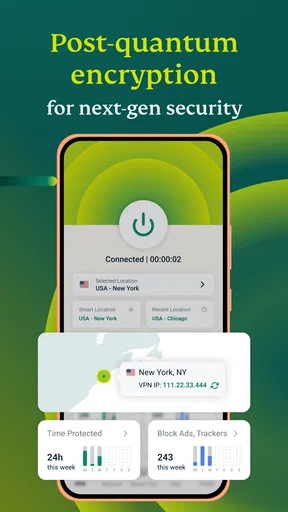
The interface is slick and intuitive. I like how it doesn’t bombard you with unnecessary features right off the bat. It’s all about simplicity here, folks. You get a big ol’ button that says “Connect,” and that’s pretty much all you need to get started. No muss, no fuss.
Features That Make You Go "Wow"
Now, let’s talk features. ExpressVPN isn’t just about masking your IP address. It’s packed with cool stuff that makes it a must-have in today’s digital age. One of my favorite features is the "Network Lock," which is essentially a kill switch that protects your data even if your VPN connection drops. I don’t know about you, but that gives me some serious peace of mind.
The app also boasts a wide range of server locations. We’re talking 94 countries, folks! This means you can pretty much pretend you’re surfing the web from anywhere in the world. Whether you want to catch up on a show that’s only available in the UK or access a site that’s blocked in your country, ExpressVPN has got your back.
Oh, and let’s not forget about the speed. Because what’s the point of a VPN if it slows down your internet to a crawl, right? I was pleasantly surprised by how fast and reliable the connection was. Streaming, browsing, downloading – it’s all smooth sailing.
A Little Extra Security Never Hurt Anybody
One of the key selling points for ExpressVPN is its security features. With 256-bit encryption, it’s like having a digital bodyguard with you at all times. It’s reassuring to know that your online activities are shielded from prying eyes, be it hackers or nosy advertisers.
Plus, the app doesn’t keep logs of your activity. Yep, you heard me right. No logs. This means your privacy is truly your own business. It’s a feature that really sets ExpressVPN apart from some of its competitors.
Usability and Performance
What’s really impressive is how user-friendly the app is. Whether you're a tech whiz or someone who can barely work a smartphone, ExpressVPN is designed to be accessible. The app runs seamlessly in the background and doesn’t hog resources, so you can go about your other tasks without a hitch.
During my testing, I didn’t encounter any crashes or bugs – a testament to how well the app is maintained. The developers seem to be on top of their game, pushing regular updates to ensure everything runs smoothly.
Choosing it over a basic VPN or a proxy
For someone deciding between this app and a free VPN, the important difference is not just the connect button; it is the balance between convenience, privacy needs, and ongoing cost. ExpressVPN is free to download, but it offers in-app purchases ranging from $9.99 to $116.99 per item. I would check the purchase terms in the app before relying on it as a long-term service. If you only need occasional protection and are unwilling to pay for a subscription, a reputable alternative with a plan that fits your budget may make more sense.
A browser proxy can be enough when you only want to route activity in one browser, but it does not serve the same role as a device VPN connection. Conversely, if you need a simple way to protect general phone traffic while using unfamiliar Wi-Fi, ExpressVPN’s one-button approach is easier to manage than manually configuring a connection. I would choose based on the scope of protection you actually need, not on the assumption that every VPN makes you anonymous or guarantees access to every region-restricted service.
There is also a useful trade-off between convenience and predictability. Keeping a VPN connected can reduce the number of times you have to remember to turn it on, while disconnecting for a particular service can avoid an access snag when that service objects to VPN traffic. I treat that as a situational choice: use the private connection when it serves your purpose, and do not interpret a single site’s refusal as proof that the whole app is failing.
A realistic day-to-day way to use it
Imagine I’m answering messages on a train, then stopping to use public Wi-Fi while waiting for a meeting. I would connect the VPN after confirming the Wi-Fi sign-in page has finished, check that a normal page loads, and then handle routine browsing. If a work portal rejects the connection, I would not keep retrying the login or assume the VPN has exposed my account. I’d check whether the portal works on a different connection and follow my employer’s access instructions instead.
That scenario points to who is most likely to appreciate the app: people who want a straightforward VPN for ordinary browsing, especially when moving between home, mobile data, and public networks. It is also a reasonable fit for someone who wants to change the IP address visible to websites without learning a complicated setup. It is less suited to someone who expects a VPN to bypass every streaming restriction, fix unstable internet, or provide a free, no-strings-attached long-term service.
One less obvious tip is to keep a brief mental note of what changed immediately before a problem: network, VPN location, or the website itself. If only one website fails after a location change, that is more informative than switching settings repeatedly. If all internet access stops, the underlying Wi-Fi or mobile connection deserves attention first. This small bit of troubleshooting discipline can save time and keep you from making unnecessary changes.
The app’s reach is substantial, with over 50 million installs and around 31,000 written reviews. I see that as a sign that many people have tried it, not as a guarantee that every phone, network, or online service will behave identically. VPN performance depends on the connection you start with and what you are trying to reach, so I would judge it by how it works for your regular routine rather than by popularity alone.
Final Thoughts
So, is ExpressVPN: VPN Fast & Secure worth your time and money? In my humble opinion, absolutely. It’s a robust app that offers a comprehensive suite of features without overwhelming you. Whether you’re concerned about privacy, looking to bypass geo-restrictions, or simply want a reliable VPN, this app is a solid choice.
If you’re ready to take the plunge into the world of VPNs, I’d recommend giving ExpressVPN a shot. It’s like having a passport to the internet world, and who doesn’t want that kind of freedom? Happy surfing, folks!
My practical recommendation is to install it, test it on a familiar connection, and decide whether the paid options suit the way you plan to use it. I would keep expectations realistic: a VPN is a useful privacy layer, not a cure for every network failure and not a promise that every website will welcome a changed IP address. With that distinction in mind, the clear interface and straightforward connection flow make it a strong choice for people who want VPN protection without turning network setup into a hobby.
Pros
- High-speed servers ensure smooth streaming.
- Strong encryption guarantees privacy.
- User-friendly interface for easy navigation.
- Supports multiple devices simultaneously.
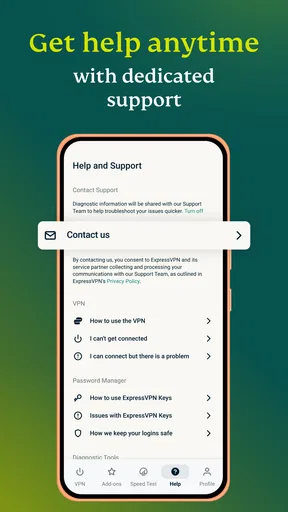
- 24/7 customer support available.
Cons
- Subscription plans can be pricey.
- Limited configuration options for advanced users.
- Occasional connectivity drops reported.
- No free version available for testing.
- Certain streaming services may be blocked.
FAQs for ExpressVPN: VPN Fast & Secure
What platforms is ExpressVPN available on?
ExpressVPN is available on a wide range of platforms, including Android, iOS, Windows, macOS, and Linux. Additionally, it supports routers, smart TVs, and gaming consoles. This broad compatibility ensures that you can protect your online activity on virtually any device you use.
How does ExpressVPN ensure user privacy?
ExpressVPN employs AES-256 encryption to secure your data, which is considered the gold standard in encryption technology. The app also features a strict no-logs policy, meaning that it does not store any of your browsing activity. This ensures your online privacy remains intact at all times.
Can I use ExpressVPN to access geo-restricted content?
Yes, ExpressVPN is designed to help users bypass geo-restrictions, allowing access to content from different regions. This includes streaming services, websites, and other online platforms that may be restricted in your location. However, always ensure compliance with local laws and regulations.
Does ExpressVPN affect internet speed?
While using any VPN can slightly reduce your internet speed due to encryption processes, ExpressVPN is optimized for speed and often minimizes this impact. Many users find that the difference in speed is negligible, allowing for smooth streaming and browsing experiences.
How many devices can I connect simultaneously with ExpressVPN?
ExpressVPN allows you to connect up to five devices simultaneously with a single subscription. This feature is particularly useful for households with multiple users or for individuals who use several devices, ensuring all your gadgets can be protected at the same time.


